00 / LabBee

Bench toolbox · iOS

Lab timers that don’t quietly fail.

Fifteen bench tools in one app. All of it runs on the phone. No signal, no account, no charge.

Not on the App Store yet. 1.0 is in review preparation.

Trypsinize T75 Running
0:12
set for 12 sec
RunningEnding soonTime is upPaused

Live: the four states, running here on this page

  • Free
  • No subscription
  • Offline
  • No account
  • No tracking
  • iOS 13+
01 / Why

You set a timer. It never went off.

The incubation is gone and so is the afternoon. The apps built for this bench were abandoned years ago. Promega stopped in 2016, QIAGEN’s multi-timer died the same year, DailyCalcs has not moved in a decade, Findings shut down in 2021.

  • Timers die in the background. The countdown looks perfect, the alarm never sounds, the incubation is gone.
  • Counters won’t take a photograph. Camera-only means a colleague across the lab cannot help you count.

LabBee exists to fix those two, for a gloved hand rather than a desk.

02 / Timers

The end time is on disk. The alarm belongs to iOS.

LabBee stores the instant a countdown ends, never a tick count. The digits are only a repaint.
  • Survives anything. Backgrounded, suspended, or force-quit an hour ago, the alarm still fires and the time left is still right.
  • Several at once, each named and controlled on its own.
  • And when it can’t arm one, it says so in red, on the card. Every other app in this category fails silently.
  • Running
  • Ending soon
  • Time is up
  • Paused
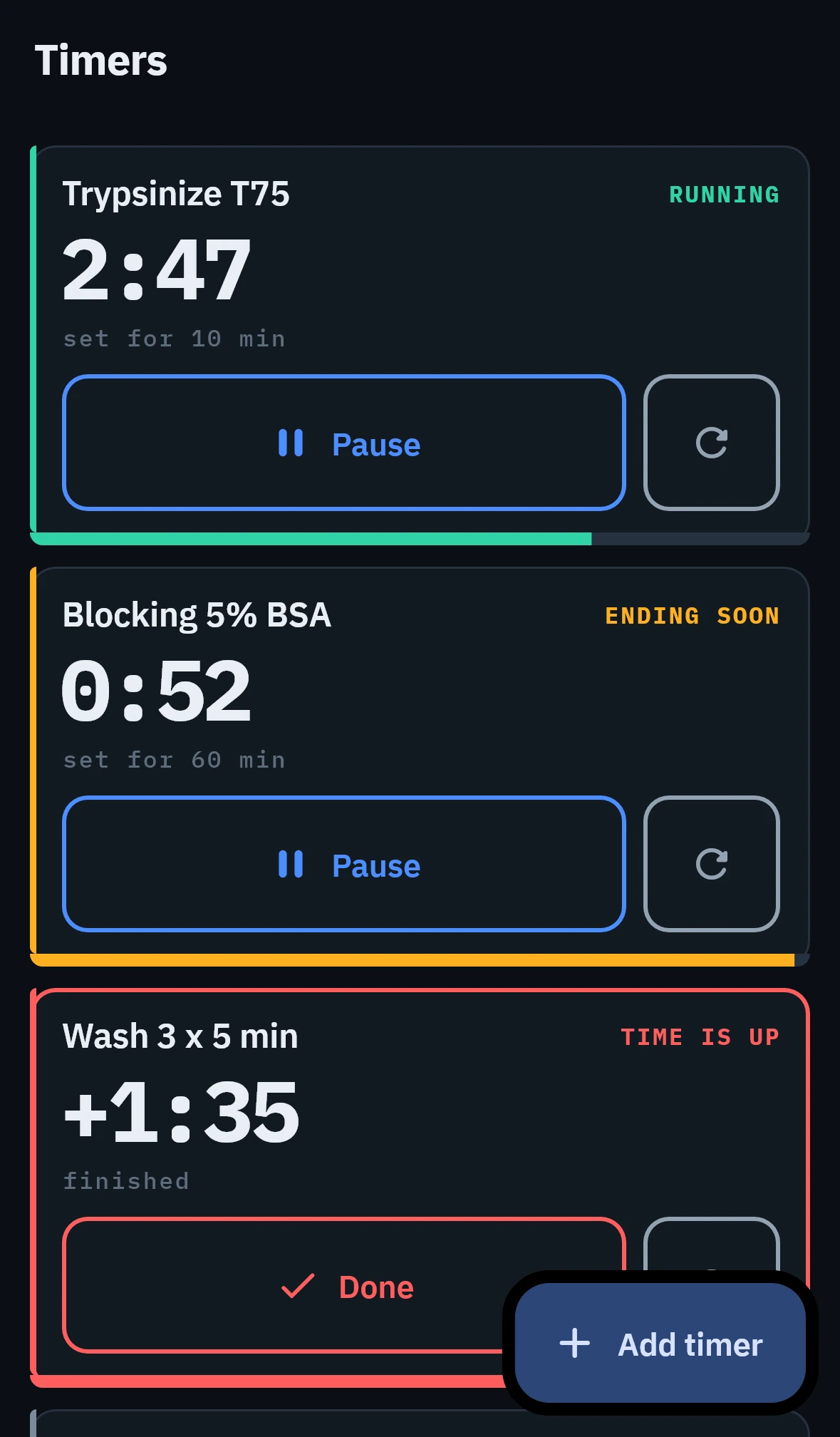
Three lab timers running at once, one ending soon and one past zero.
Timers
03 / Tools

Fifteen tools. All offline.

Bench maths, not process design. Molarity when you have a molecular weight; %w/v and mg/mL when you don’t, for the polymers and proteins that have no single one; molality, normality and ppm when the work is chemistry rather than biology.

Multi Timer

Parallel countdowns

Protocols

Step runner with timers

Molarity

g ⇄ mol/L

Dilution

C1V1 = C2V2

Serial Dilution

Fold series, recipe

Beer-Lambert

A = εbc

Concentration

M, %, ppm, molal, N

Nucleic Acid

A260 quant & purity

Buffer pH

Henderson-Hasselbalch

Primer Tm

Wallace, GC, anneal

Centrifuge

g ⇄ RPM

Master Mix

PCR reaction setup

Colony Counter

Tap to count, export

Cell Count

cells/mL, viability, seed

Calibration Curve

Fit and interpolate

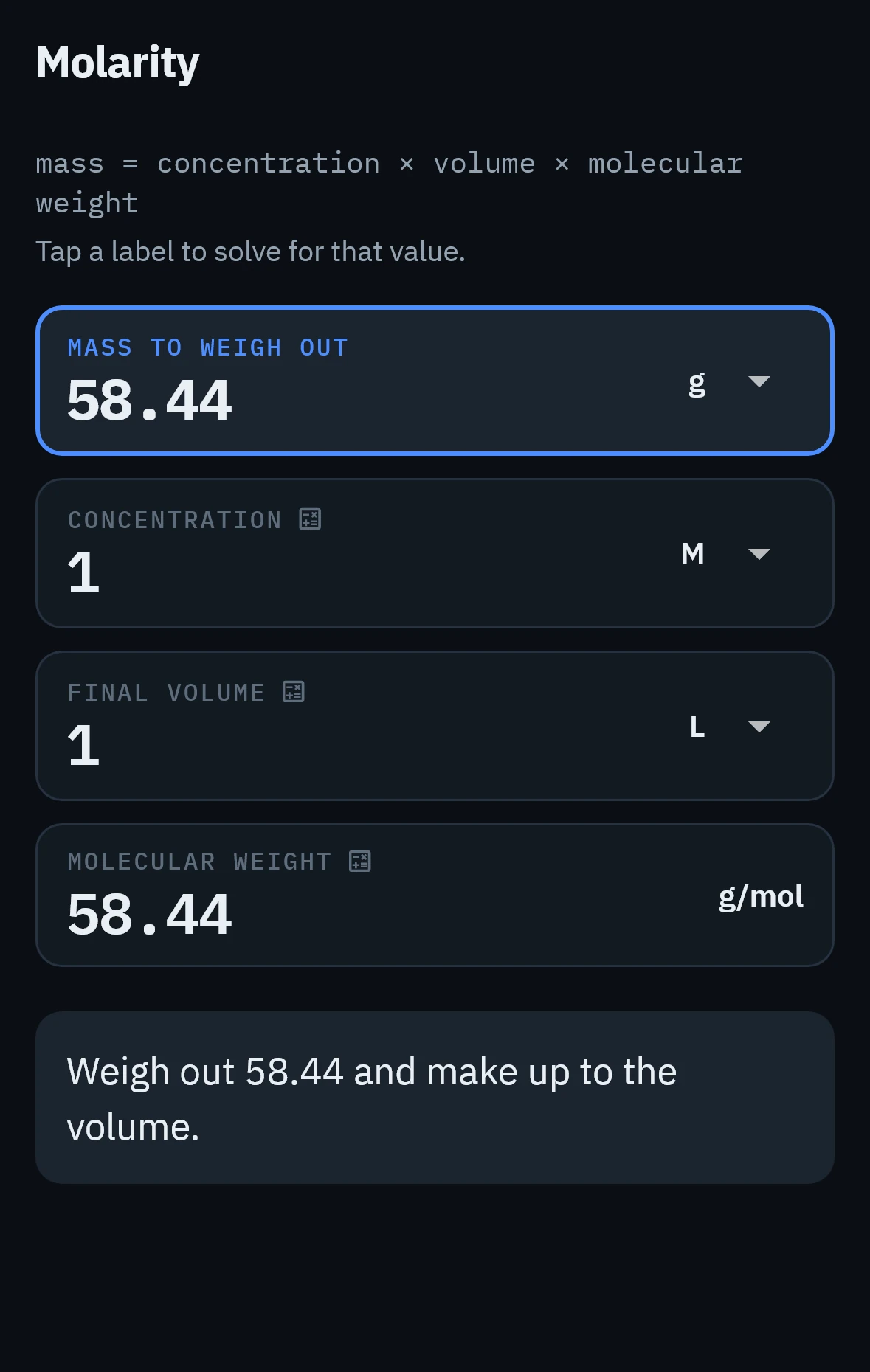
The molarity calculator: mass to weigh out, 58.44 g, from concentration, volume and molecular weight.
Molarity. Tap a label to solve for it
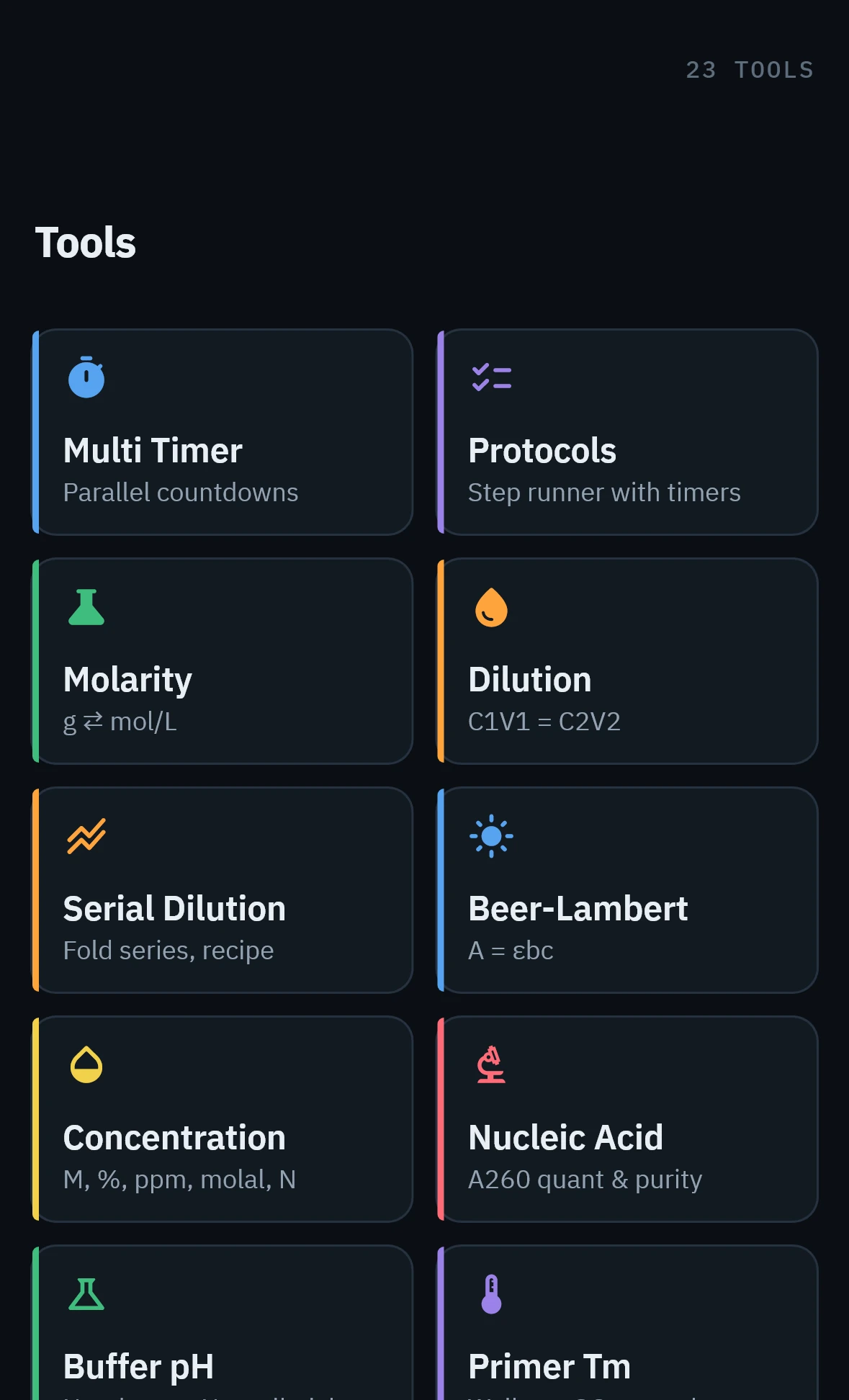
The tools grid, each tool carrying a coloured category rail.
Every tool, one grid
04 / Protocols

A protocol you can run, not a document you scroll.

Write the steps once. On the bench you work through them one at a time, and any step with a duration starts its own timer.
  • Step timers use the same engine as the standalone timers, so a protocol step survives a locked phone exactly the same way.
  • Your place is kept. Come back after an hour away and the runner is still on the step you left.
  • The same transfer, block and wash, every week, without re-reading a PDF at the bench.
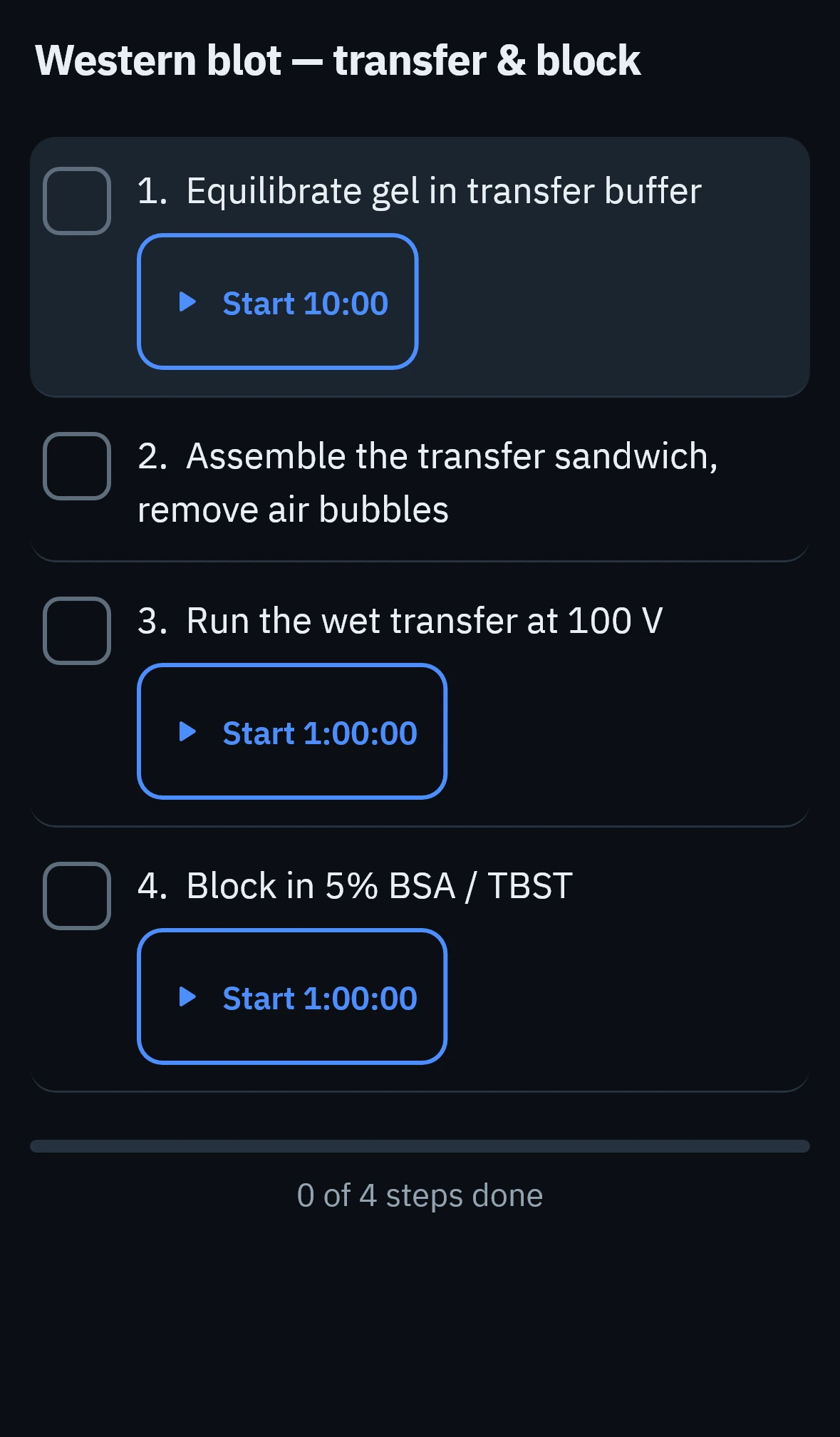
A Western blot protocol running step by step, with the active step's timer counting down.
Protocol runner
05 / Counting

You count. It keeps the tally, and the evidence.

Load a plate photograph, tap each colony. A mistaken tap comes straight back off.
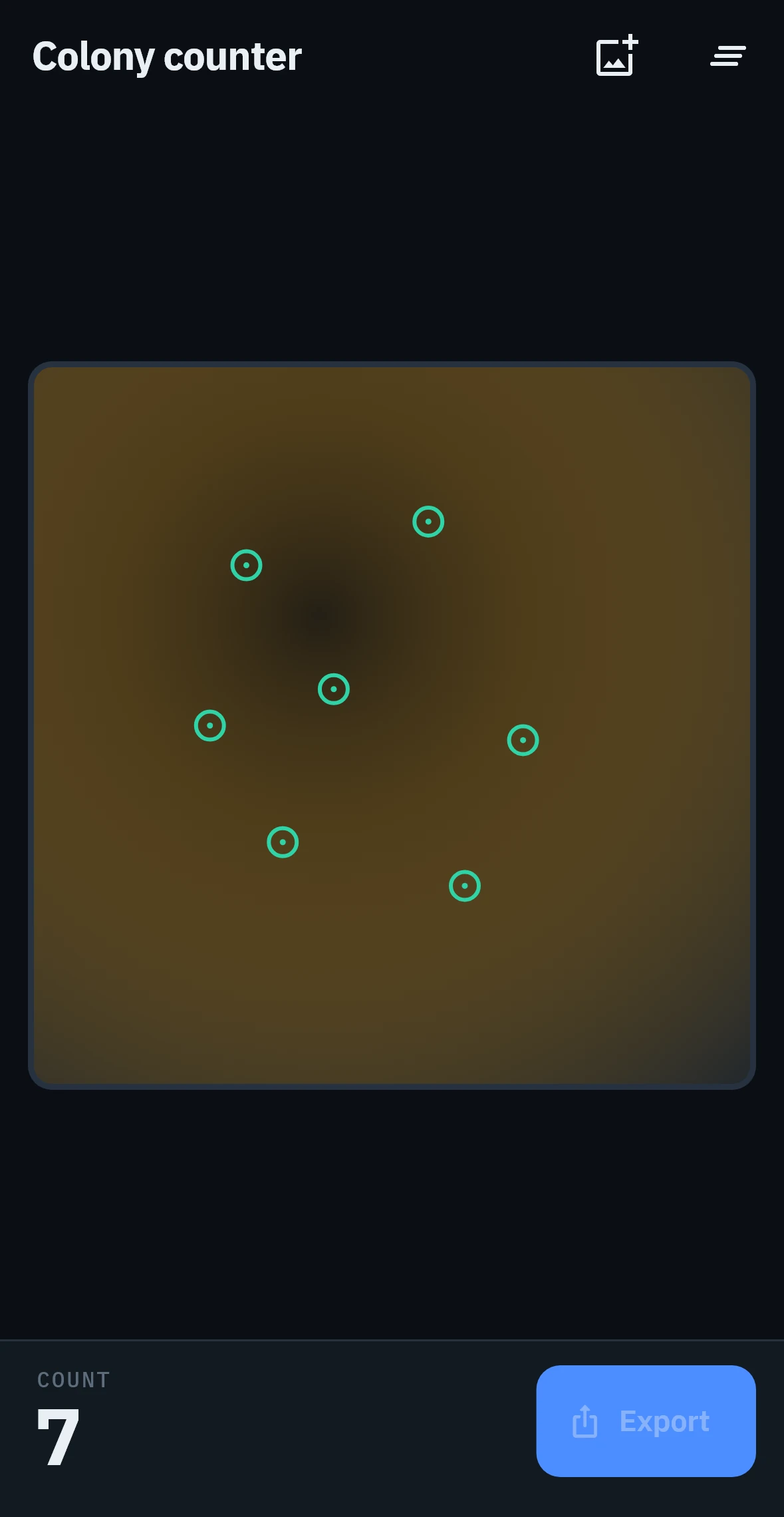
  • Import from the photo library, so a colleague can photograph the plate and you can count it.
  • Export the marked image and the numbers as PNG plus CSV.
  • No automatic detection, and no claim of one. Published comparisons of phone counters do not support trusting one unchecked. Proposals are on the roadmap, always correctable before a count is recorded.
The colony counter with marks placed on a plate image and a running count.
Colony counter
06 / At the bench

Built for a gloved hand.

Nitrile costs you fingertip precision and contact area, so Apple’s 44pt minimum is not enough here. These came from user reports, not taste.

  • 56pt minimum touch target, 64pt on timer and counter controls.
  • An 88pt countdown numeral, readable across a bench, with landscape mode.
  • Borders, not shadows. Under bench glare a shadow disappears and a border does not.
  • Deleting a timer needs a deliberate swipe. A tap that destroys a running incubation is unacceptable.
07 / Offline

Nothing to sign in to. Nothing to send.

No account, no server, no analytics. The App Store privacy entry reads Data Not Collected, because there is nothing on the other end to collect it.

  • It works where the signal doesn’t. Cold rooms, basements, BSL suites, cleanrooms, instrument bays.
  • Fonts are bundled, not fetched, so nothing is downloaded at first launch.
  • Nothing to clear with IT. No data leaves the device, so there is no transfer to review.
  • Free, and not the kind that becomes a bill. No subscription, no in-app purchases, no ads, no paid tier holding the useful half.

This site matches: no analytics, no cookies, no third-party requests. That is why you were not asked to accept anything.

08 / Next

Being built next.

Not in 1.0. Listed because the app marks them the same way. A roadmap you can see beats a feature list you cannot check.

Soon

Buffer & Medium

Recipe from stocks

Soon

Blood Cells

Differential tally

Soon

Plate Map

6 to 96 wells

Soon

Unit Converter

Mass, volume, molar

Soon

Cell Culture

Passage and feed log

Soon

Notes

Bench log, exportable

Soon

Amino Acids

Properties and codes

Soon

Codon Table

Wheel and lookup

09 / Questions

Answers, including the unflattering ones.

Is it really free?

Yes. No subscription, no in-app purchases, no advertising, no paid tier. After broken timers, the category’s loudest complaint is a surprise paywall.

Do timers keep running when the app is closed?

Yes. The moment a countdown ends is stored on disk as an absolute time, and the alarm is registered with iOS rather than kept inside the app.

Keep the ringer on, because iOS will not let an app alarm through silent mode.

Does the colony counter detect colonies automatically?

No. In 1.0 you tap the colonies yourself and LabBee keeps the tally, the marks and the export. Automatic proposals are planned, and will be correctable before a count is recorded.

Do I need an account?

No. No sign-up, no sign-in, no profile. Nothing syncs to a server because there is no server.

What data do you collect?

None. No analytics, no crash-reporting service, no identifiers, no advertising SDK.

Which iOS version do I need?

iOS 13 or later, iPhone and iPad. Deliberately low: shared department devices and older lab phones are common.

Can I export anything?

Counts export as a marked PNG plus a CSV. Results and protocols go through the standard iOS share sheet.

Is this validated for GLP or regulated work?

No. LabBee is for research and education. Not a validated instrument, not a medical device. Check its results the way you would check any bench calculation.

Is there an Android version?

Not at launch. 1.0 is iOS only. The codebase is cross-platform, so it is possible later, but a date now would be a guess.